PlayDash login help.
Find your fix.

Login problems, registration and account checks for PlayDash Malaysia. Choose what you see on screen and find the next step.

PlayDash login problems by symptom

Most failed logins come down to a handful of everyday causes. Treat them as possibilities to rule out, not a diagnosis of your account — only the PlayDash team can see what is happening on their side.

"Incorrect details" after entering your password

Possible causes

A typo or caps lock; the browser autofilling an old password; logging in with the email when you registered with your phone number, or the other way round

What to try

Type the password by hand. Try the other contact. If it still fails, use the reset option on the login screen.

You can't remember the password

Possible causes

Forgotten or never saved after sign-up

What to try

Reset it from the login screen. The full PlayDash login and recovery guide walks through each recovery screen.

Confirmation code never arrives or has expired

Possible causes

A delayed message, a mistyped number or email, a filtered inbox, or a code that has already expired

What to try

Wait a minute, check spam or blocked-SMS folders, confirm the contact you entered, then request a fresh code.

Page stays blank, spins or freezes

Possible causes

A weak connection, stale cached files or an outdated browser

What to try

Reload, switch between Wi-Fi and mobile data, then clear the browser cache using the device-by-device cache steps.

"Not available in your region"

Possible causes

You are in, or appear to be in, a restricted country: England, Scotland, Wales, Northern Ireland, Russia, India, USA

What to try

PlayDash is not offered in those places. Don't try to get around the restriction.

Logged in, but access is blocked and the balance is negative

Possible causes

A bet was revalued and left a shortfall; the operator says it may need to be deposited before access is restored

What to try

Ask Live Chat which bet was revalued and why before you add money.

Access is paused after you asked for a break

Possible causes

A cooling-off or self-exclusion period you set may still be running

What to try

That pause is working as intended. Ask Live Chat if you are unsure when it ends; see the responsible gambling guide for how the tools differ.

An old bookmark opens an unfamiliar page

Possible causes

The saved address is out of date, or the link came from an unofficial source

What to try

Don't enter your details there. Open PlayDash from the Log in button on this guide or from the official Telegram channel.

Login works, but a withdrawal asks for documents

Possible causes

Identity verification (KYC) has not been completed yet

What to try

Upload the documents listed in the verification section.

Three checks before you try again

  1. Use the contact you registered with

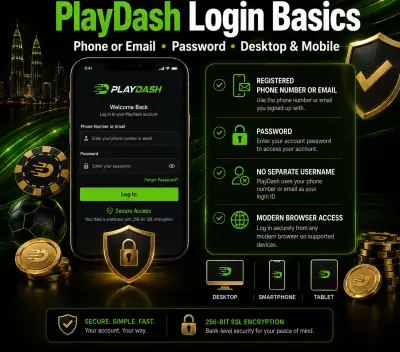
    PlayDash logins use your phone number or email — whichever you chose at sign-up — and there is no separate username.

  2. Type instead of autofill

    Saved passwords in the browser can be stale, especially after a reset on another device.

  3. Start from a trusted link

    Use the Log in button here or the official Telegram channel, not a link from an unknown chat or advert.

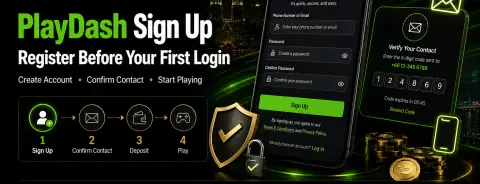
PlayDash register: four short steps

New to PlayDash? Registration is short and asks for no documents up front. Here is the whole flow, so you know what to expect on each screen.

  1. Open the registration page. Use the Register button on this guide; it goes straight to PlayDash Malaysia.
  2. Enter a phone number or email and a password. Choose a password you don't use anywhere else.
  3. Confirm your contact. PlayDash sends a confirmation to the number or email you entered; complete it to finish sign-up.
  4. Set your limits before any deposit. A deposit limit takes a minute and is easier to set while nothing is at stake.

The welcome pack's activation countdown starts when you register, so if you plan to use it, read its terms in the PlayDash promo calendar first. There is no obligation to take any bonus.

PlayDash sign up graphic showing create account, confirm contact and verification code screens

What verification asks for later

Registration skips identity checks, but they arrive before your first withdrawal. Preparing the files early avoids a payout sitting in limbo.

  • Photo ID

    A photo ID document.

  • Selfie with ID

    A selfie of you holding that same ID.

  • Proof of address

    A bank statement or utility bill issued within the last three months.

Besides withdrawals, a check can also be triggered when lifetime deposits pass EUR 10,000 or when activity looks unusual. The platform lists a Verification Quest that rewards completed verification with 10 free spins; its conditions are shown in Promotions.

Keep your login safe

Login trouble sometimes starts with a lookalike page. A few habits keep your account yours.

  • Never share your password or a one-time code with anyone, whoever they say they are.
  • Check the address bar before typing your details, especially after following a link.
  • Log out and clear saved passwords when you use a shared or borrowed device.
  • Use a password you have not used on any other site.

The operator states that passwords are stored encrypted and connections use 256-bit SSL. These are its statements; this guide cannot verify them independently.

PlayDash login basics graphic: phone or email, password, desktop and mobile access

When to hand it to Live Chat

If the selector has not solved it, the PlayDash team can look at your account directly. Live Chat runs 24/7 on the platform. Have the phone number or email you registered with ready, and describe exactly what you see on screen — the symptom wording above is a good start.

For announcements, follow the official PlayDash Telegram channel. Never send passwords or codes in any chat.

All symptoms in one table

The same answers as the selector, side by side for comparison.

Swipe sideways: this table continues to the right

Symptom → possible cause → what to try
What you see Possible causes What to try
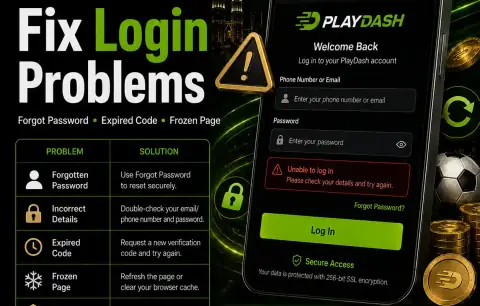
"Incorrect details" after entering your password A typo or caps lock; the browser autofilling an old password; logging in with the email when you registered with your phone number, or the other way round Type the password by hand. Try the other contact. If it still fails, use the reset option on the login screen.
You can't remember the password Forgotten or never saved after sign-up Reset it from the login screen. The full PlayDash login and recovery guide walks through each recovery screen.
Confirmation code never arrives or has expired A delayed message, a mistyped number or email, a filtered inbox, or a code that has already expired Wait a minute, check spam or blocked-SMS folders, confirm the contact you entered, then request a fresh code.
Page stays blank, spins or freezes A weak connection, stale cached files or an outdated browser Reload, switch between Wi-Fi and mobile data, then clear the browser cache using the device-by-device cache steps.
"Not available in your region" You are in, or appear to be in, a restricted country: England, Scotland, Wales, Northern Ireland, Russia, India, USA PlayDash is not offered in those places. Don't try to get around the restriction.
Logged in, but access is blocked and the balance is negative A bet was revalued and left a shortfall; the operator says it may need to be deposited before access is restored Ask Live Chat which bet was revalued and why before you add money.
Access is paused after you asked for a break A cooling-off or self-exclusion period you set may still be running That pause is working as intended. Ask Live Chat if you are unsure when it ends; see the responsible gambling guide for how the tools differ.
An old bookmark opens an unfamiliar page The saved address is out of date, or the link came from an unofficial source Don't enter your details there. Open PlayDash from the Log in button on this guide or from the official Telegram channel.
Login works, but a withdrawal asks for documents Identity verification (KYC) has not been completed yet Upload the documents listed in the verification section.

Login and register FAQ

Answers to the questions people ask most about PlayDash login and registration in Malaysia.

What do I use to log in to PlayDash Malaysia?

The phone number or email you registered with, plus your password. There is no separate username.

I forgot my PlayDash password. What now?

Use the password reset option on the login screen and follow the message sent to your registered phone or email. If the reset message never arrives, check that you are using the contact you signed up with, then ask Live Chat.

Why is there a negative balance on my account?

After a bet is revalued, a shortfall can appear. The operator says it may need to be covered by a deposit before access is restored. Ask Live Chat to explain the revaluation before you pay anything.

Do I need documents to register?

No. Registration only needs a phone number or email and a password. Photo ID, a selfie with that ID and a recent proof of address are requested before a withdrawal.

Can this guide reset my password or unlock my account?

No. This is an information site with no access to PlayDash accounts. Only the PlayDash team, through Live Chat on the platform, can look at your account.

PlayDash login problem table pairing forgotten password, expired code and frozen page with fixes